Why claim your team
Teams and players added by a tournament director start out unclaimed. Claiming connects those records to your account:
- Your game history and stats become linked to youLINKED
- A team page is created so others in your community can find and join your clubTEAM PAGE
Claim your team in the app
Find the tournament you played in, open your team, and claim it:
-
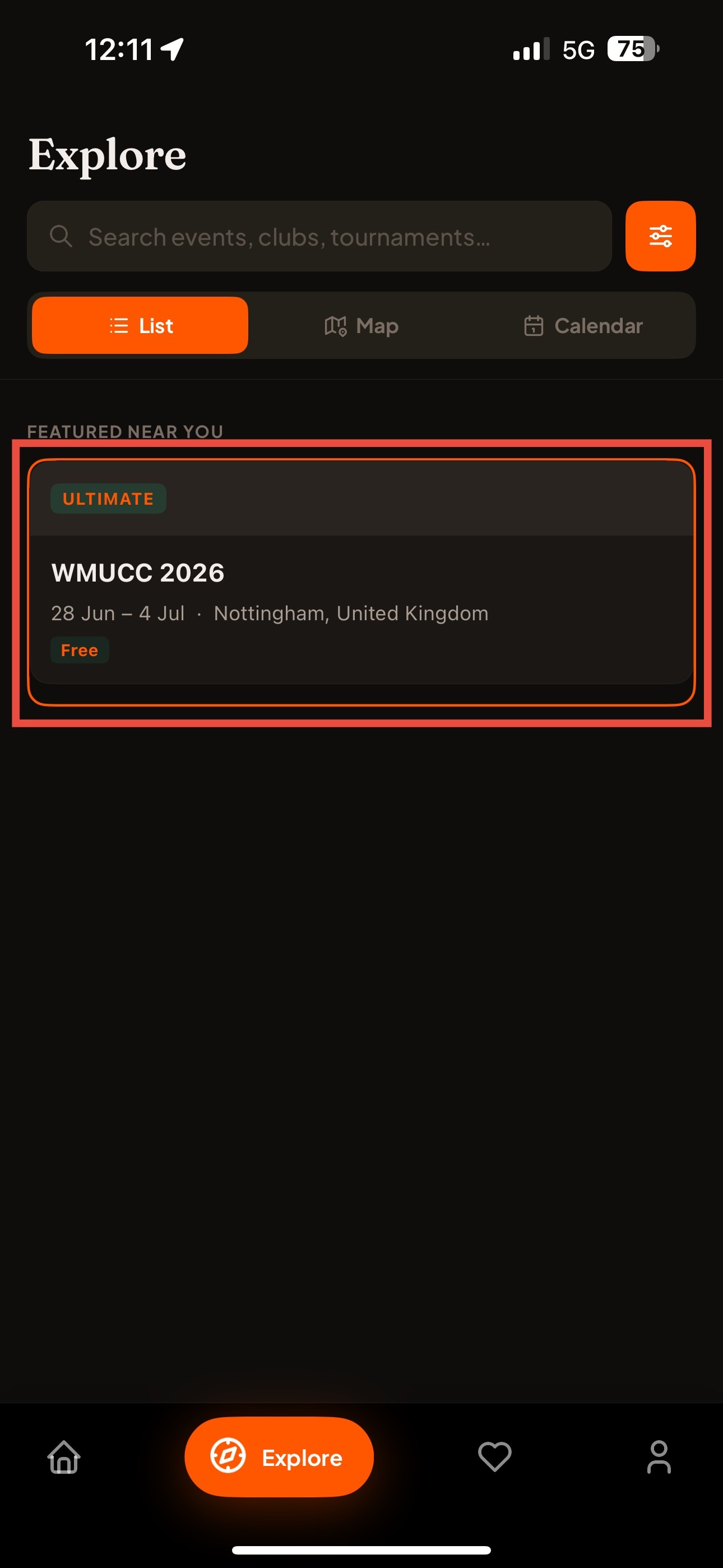
From the Explore page, find the tournament you were a part of
Browse or search for the event where your team played.
Show screenshotHide screenshot
-
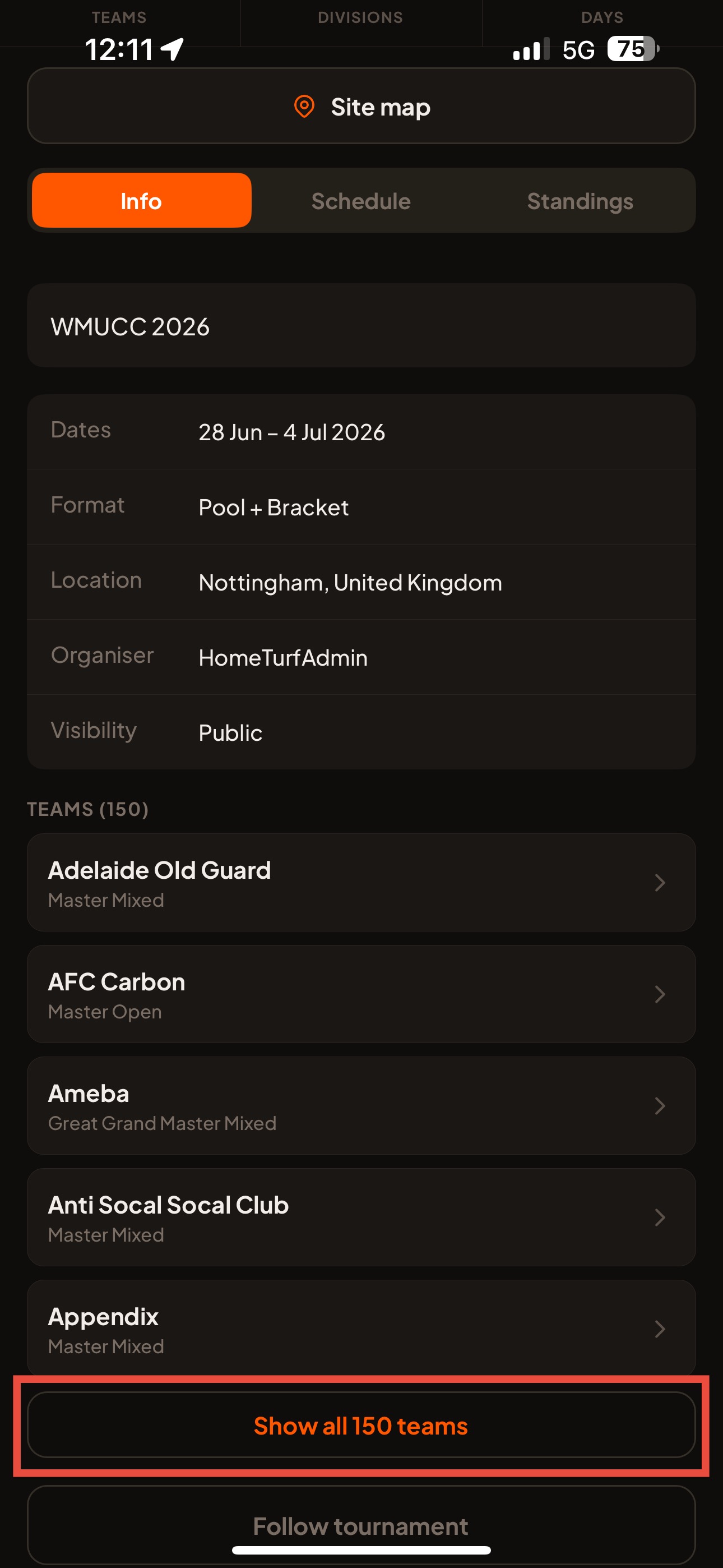
In the Info section of the tournament page, find your team
If there's a long list of teams, expand the teams list to find yours.
Show screenshotHide screenshot
-
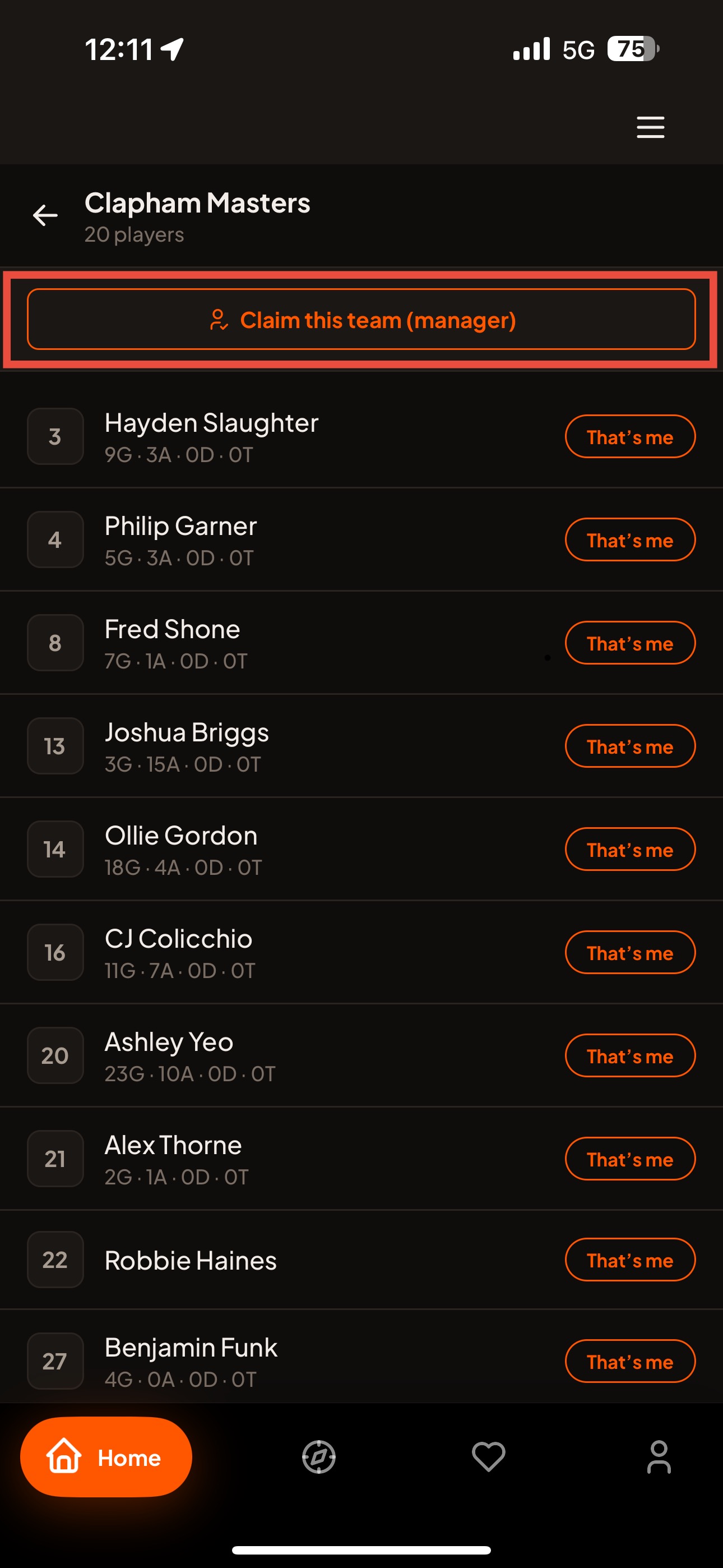
Open your team and tap Claim this team
Click your team to open it. If you're claiming the team as its admin, tap the Claim this team button.
Show screenshotHide screenshot
-
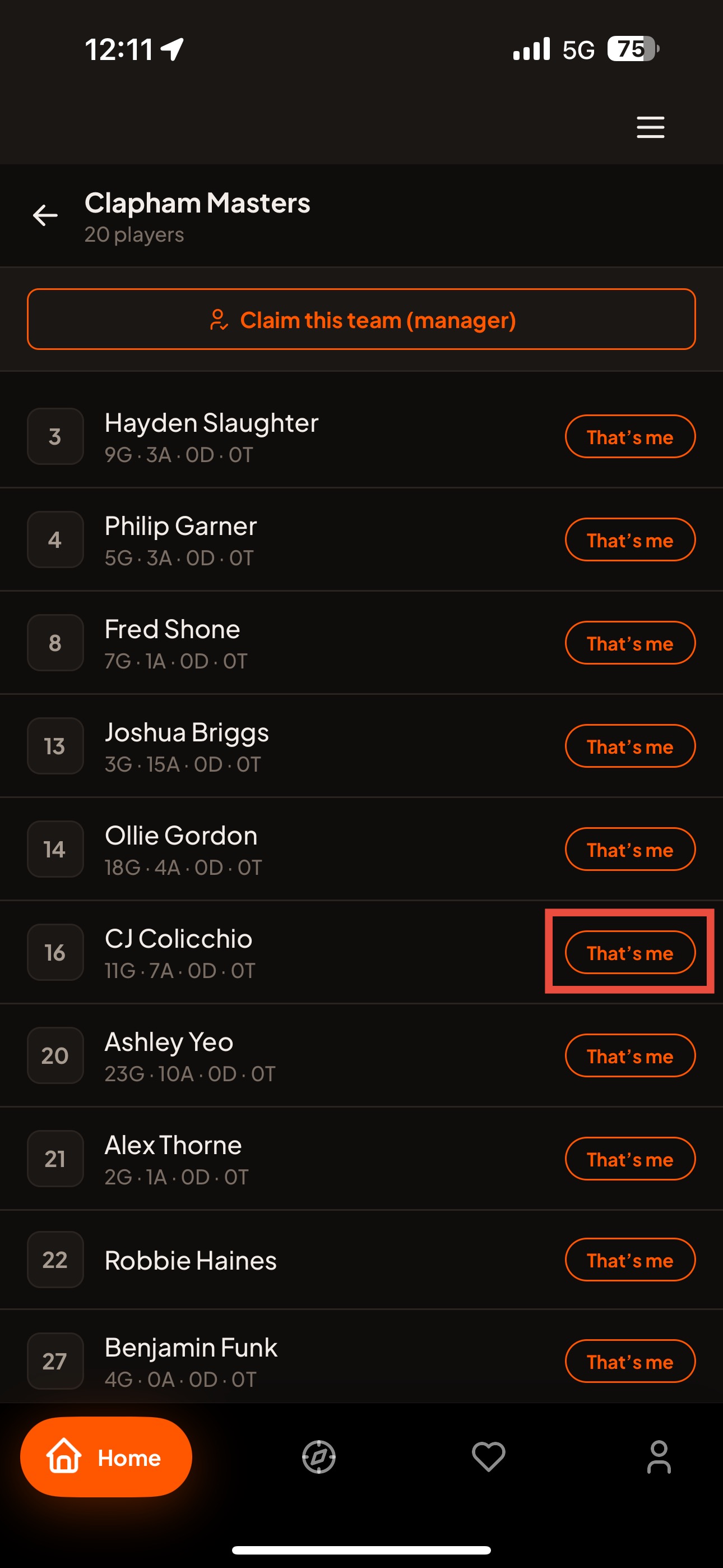
Not the admin? Tap “That's me” next to your name
If you only want to claim your own player profile, tap the “That's me” button beside your name and you'll be associated with that player profile.
Show screenshotHide screenshot
Can't find your team, or need a hand?
If your team isn't showing up, or you're not sure which player profile is yours, we're happy to help. Contact us at:
[email protected]Email from the address associated with your account and let us know the tournament name and your team, and we'll help you get it claimed.