Delete your account in the app
The quickest way to delete your account is from within the HomeTurf app:
-
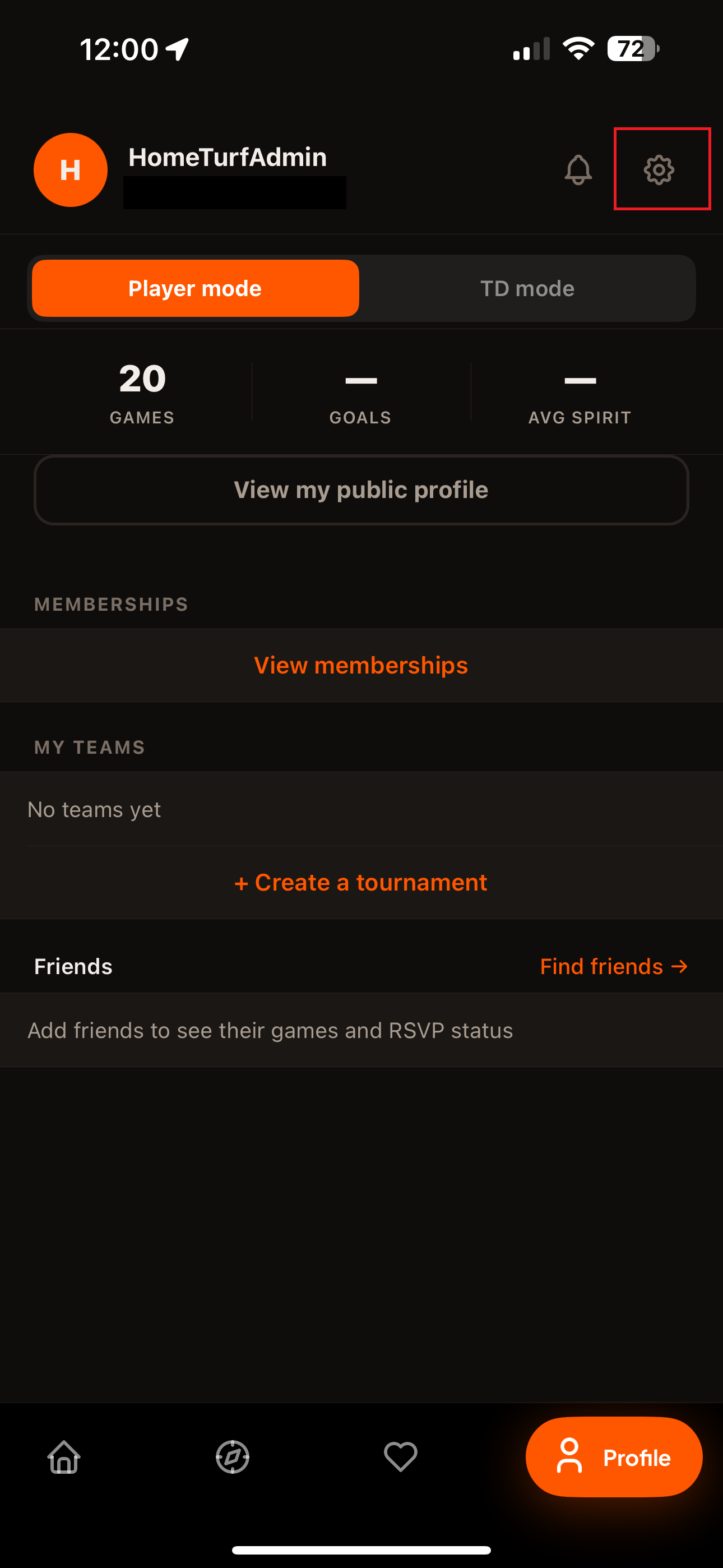
Open the Profile tab and tap the settings (gear) icon
Top-right of the profile screen.
Show screenshotHide screenshot
-
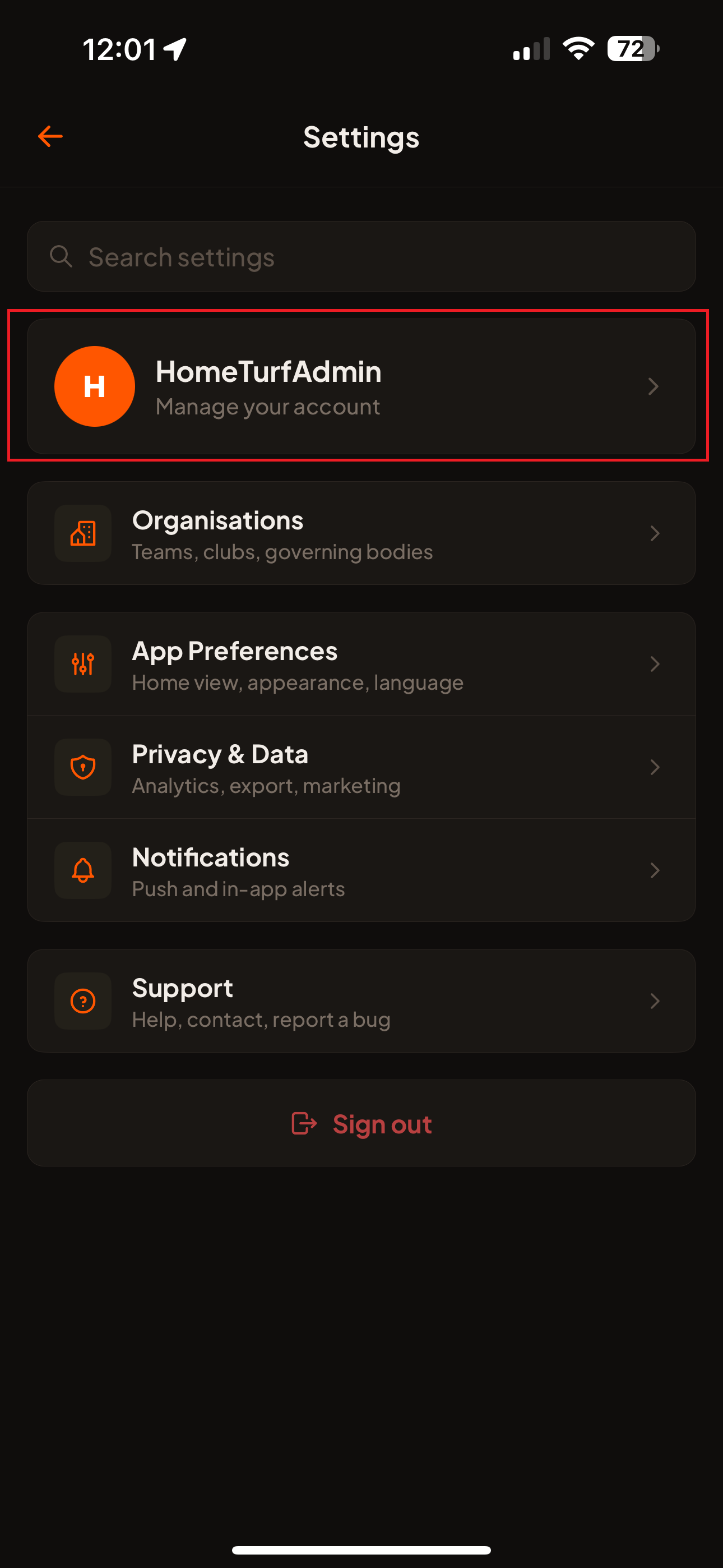
Tap your name — “Manage your account”
The first item at the top of Settings.
Show screenshotHide screenshot
-
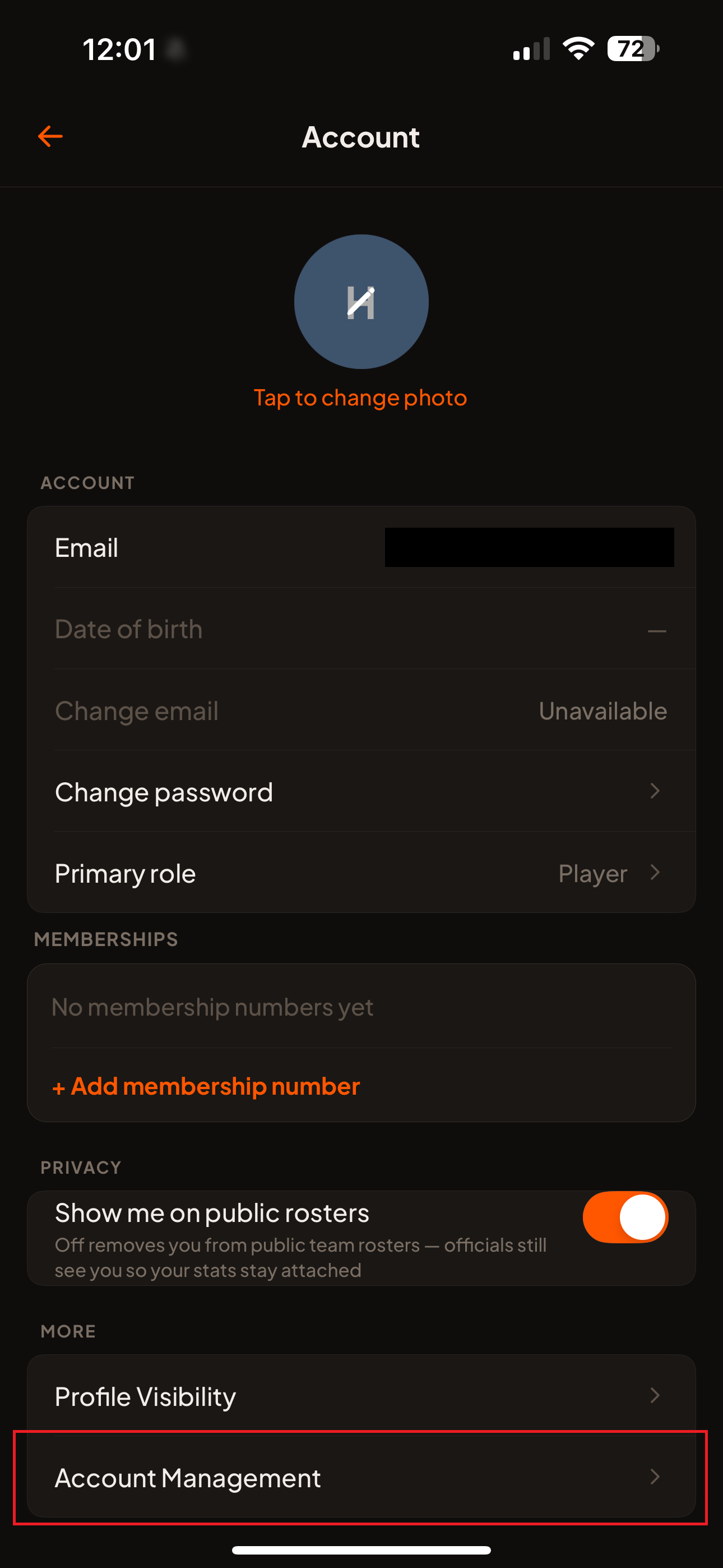
Open Account Management
Under the “More” section of the Account screen.
Show screenshotHide screenshot
-
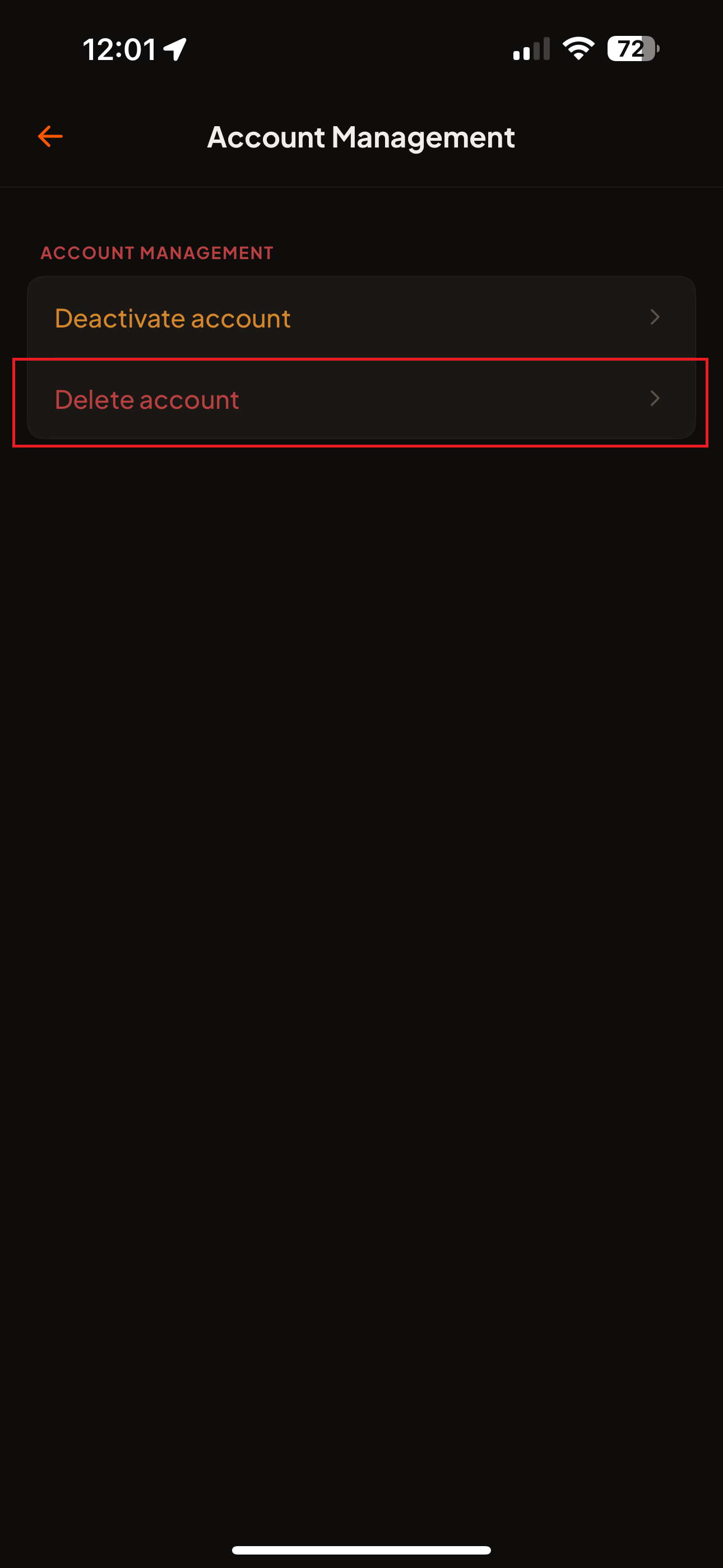
Tap Delete account
Under the Account Management heading.
Show screenshotHide screenshot
-
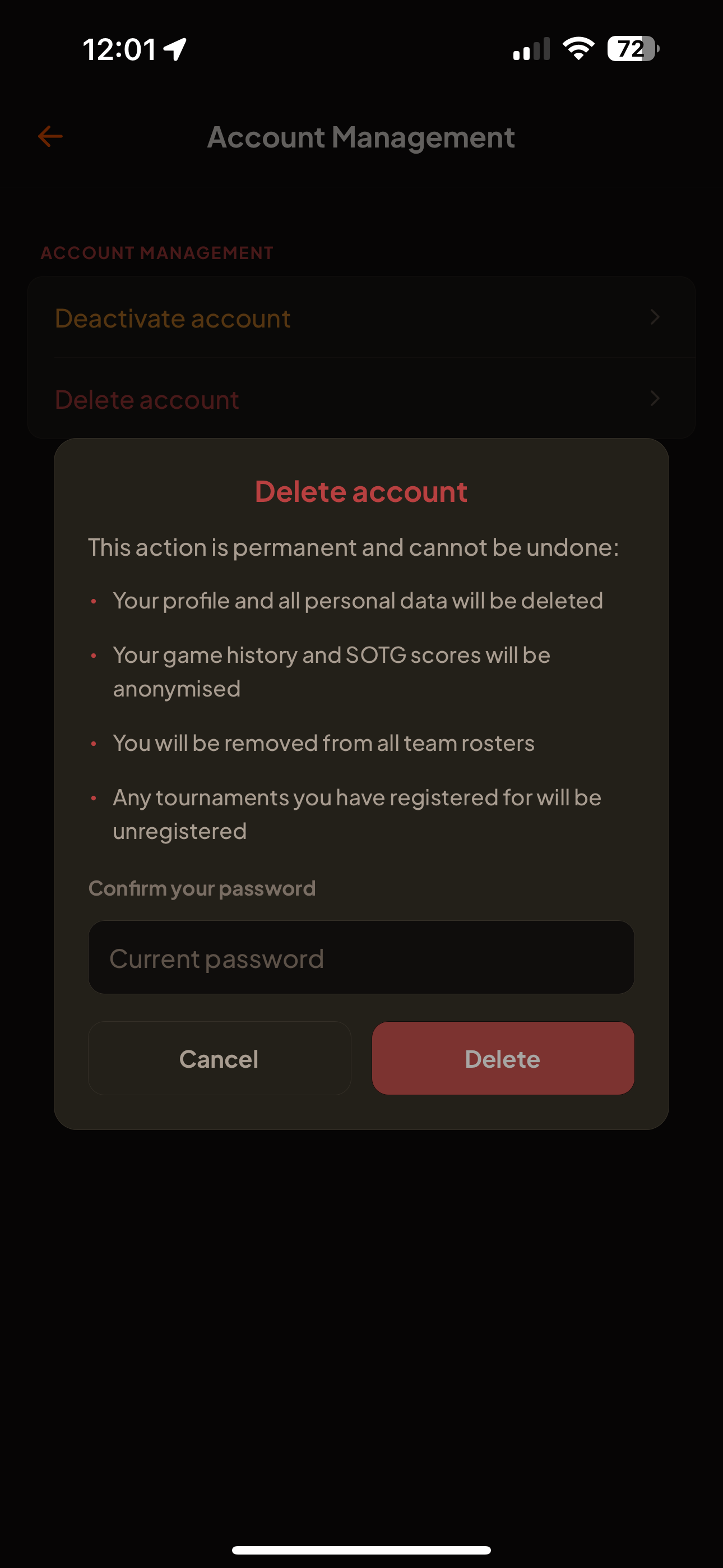
Confirm with your password and tap Delete
This action is permanent and cannot be undone.
Show screenshotHide screenshot
What happens to your data
When you delete your account:
- Your profile and all personal data are permanently deletedDELETED
- Your game history and Spirit of the Game (SOTG) scores are anonymised — retained as part of the public tournament record but no longer linked to youANONYMISED
- You are removed from all team rostersDELETED
- Any tournaments you have registered for are unregisteredDELETED
If you no longer have the app installed
If you’ve uninstalled HomeTurf and can’t use the in-app flow, you can request account and data deletion by email. Contact us at:
[email protected]Please email from the address associated with your account, with the subject “Delete my account”. We will verify your identity and process the deletion, typically within 30 days. The same data outcomes described above apply.